

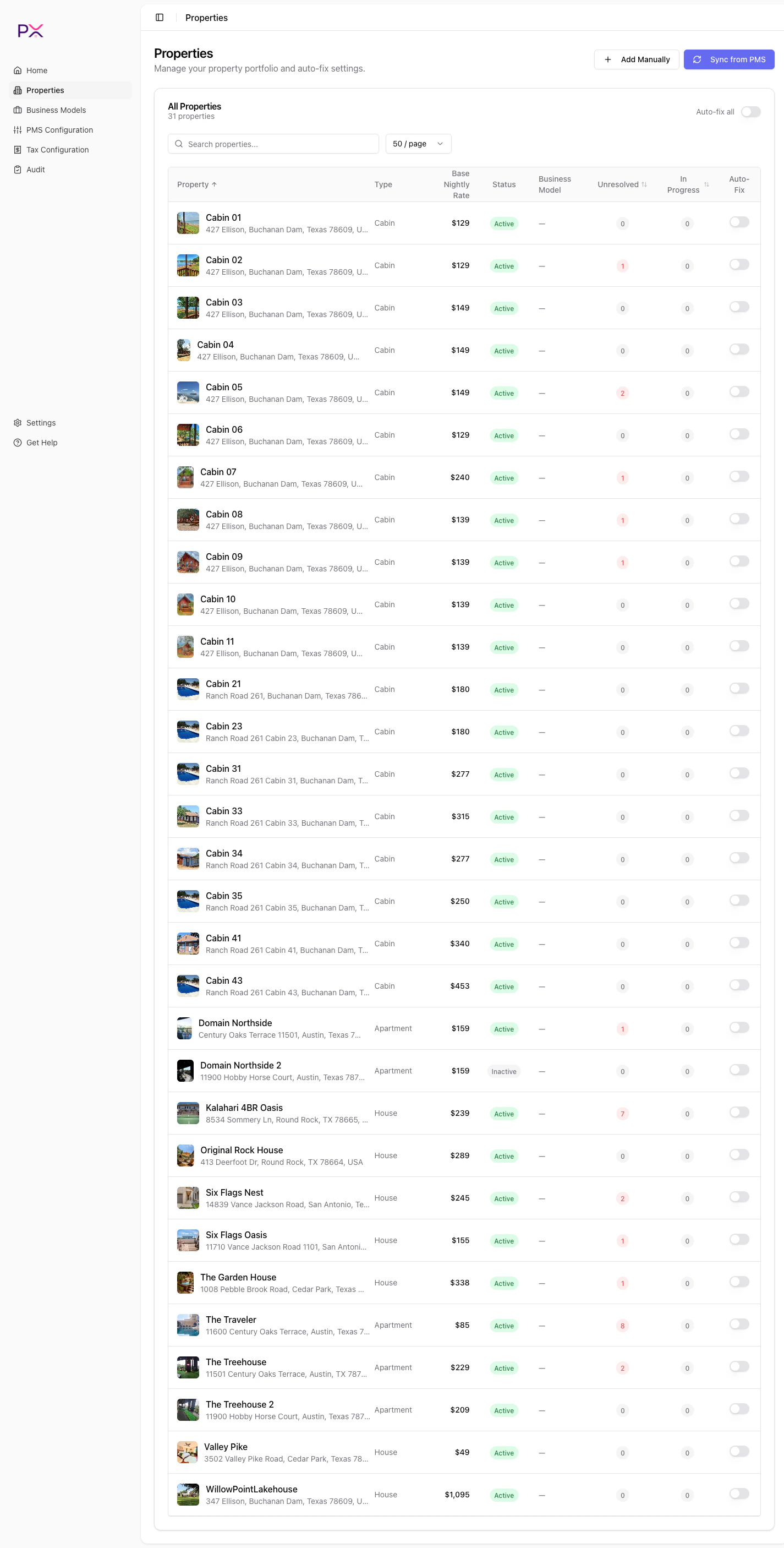
Properties page
Header actions
- Add Manually - opens a form to create a property that is not in your PMS. Useful for off-platform inventory you want tracked in PX.
- Sync from [PMS] - triggers a full re-fetch of your listings. The button label changes to match your active provider.
The table
Above the table:
- Search properties… - filters the table by property name in real time.
- Page size dropdown - 25 / 50 / 100 / 200 per page. Defaults to 50.
- Auto-fix all toggle in the card header - flips auto-fix on or off for every property at once.
First-time experience
If you just connected a PMS and have not synced yet, the page is empty and PX automatically triggers a sync in the background. You will see a loading state, then the table populates. If you have not configured PMS credentials, the empty state prompts: Configure your PMS credentials in Settings, then sync.Auto-fix toggles
There are two layers:- Per property - the toggle on each row, which is the default control.
- Globally - the Auto-fix all toggle in the header. Flipping this updates every property at once.
- Unresolved findings on that property show Fix in Progress instead of the Start Fix / Dismiss buttons.
- PX processes the fixes asynchronously - you do not have to wait on the page.
- Findings stay unresolved until you act on them from the property detail page.
Triggering a sync
Click Sync from [PMS] to re-fetch your listings. Sync is idempotent - running it twice is safe and only updates rows where data changed. If a sync fails, an error banner appears at the top of the page with the reason. The most common causes are:- Expired credentials (re-connect under Settings).
- PMS rate limit hit (wait, then retry).
- A specific listing failed to parse - PX skips it and continues; the rest still sync.
What’s next
Property detail
Issues, reservations, and PMS config for a single listing.
Auto-fix
What auto-fix does and when to use it.