

- Guesty API Credentials
- Integration Status
- Account Preferences
- Billing & Payment
- Danger Zone
Guesty API Credentials
This card shows how your Guesty account is connected and lets you remove the connection. A Connected via Guesty Marketplace badge sits next to the card title, and the subtitle reads Your Guesty account is connected and syncing properties. Guesty issued the credentials when you connected, so there is nothing to paste or edit here. See Connect Guesty for how the connection is made.If your badge reads Connected with API keys instead, your account is on an older connection type that PX no longer sets up. It keeps working, and nothing here needs your attention. Contact support before you disconnect it, because reconnecting will move you to the Marketplace flow above.
This card is provider-specific. On an OwnerRez account it reads OwnerRez Connected instead, with the subtitle Your OwnerRez account is connected via OAuth (or via Personal Access Token) and a Disconnect button. Before any PMS is connected, the card is Connect Your PMS and shows the provider picker.
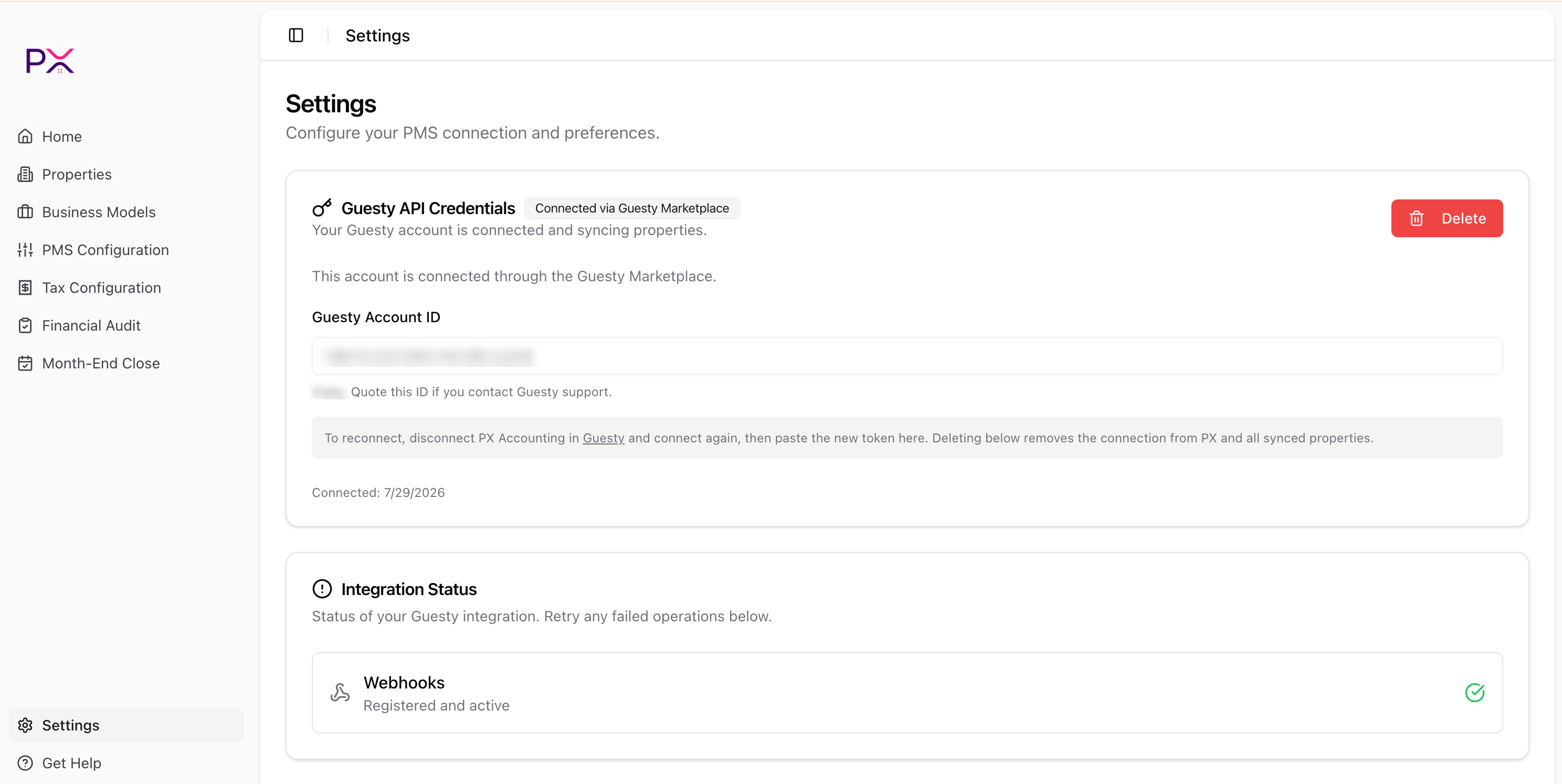
The top of the Settings page with a Guesty Marketplace connection
What the card shows
- Guesty Account ID - a read-only identifier for your Guesty account. Quote this ID when you contact Guesty support. Your Guesty account name appears just below the field.
- Connected - the date the connection was last established.
If the Account ID field is empty and reads Not read from Guesty yet. It appears after the next sync, the connection predates this field. It fills in automatically after the next daily sync.
Deleting the connection
Click Delete to remove the connection. PX asks you to confirm, then:- Removes the stored credentials.
- Unregisters the webhook.
- Removes all synced properties.
Integration Status
This card reports the health of your PMS integration and lets you retry anything that failed. It shows up to two rows, depending on your provider and connection state. Admin Account (Guesty only, and only when PX manages one) - reads Created:<email> with a green check, or Not created yet with a red X and a Retry button.
Webhooks - always shown. The summary line tells you exactly where you stand:
Each failed row has its own Retry button - there is no page-wide refresh. The most common failure is a Guesty plan limit on the number of webhooks. Remove an unused webhook in Guesty, then click Retry.

Integration Status showing webhooks registered and active
Account Preferences
A single setting:- Timezone - Eastern (ET), Central (CT), Mountain (MT), Arizona (MST), Pacific (PT), Alaska (AKT), or Hawaii (HST). New accounts default to Central.
Billing & Payment
Manage the payment method used for monthly subscription billing:- No payment method - shows an Add Payment Method button that opens Stripe Checkout in a new tab.
- Card on file - shows the brand and last 4 (for example, Visa ending in 4242) plus expiration, with a Remove button.
- Bank account on file - shows the bank name and last 4, with a Remove button.
Danger Zone
A single button: Delete Account, described as Permanently delete your account and all associated data. Clicking it opens a confirmation dialog with a verification step. Deleting:- Removes your PMS credentials.
- Removes business models, tax configuration, and audit history.
- Cancels billing.
- Logs you out.
Layout notes
Settings is the first stop for new users. PX sends new sign-ins here when no PMS is configured, because nothing else works without a PMS connection. Existing users typically only return to Settings to:- Check integration status after a change on the PMS side.
- Update the timezone after moving offices.
- Replace a payment method.
- Disconnect when offboarding.