

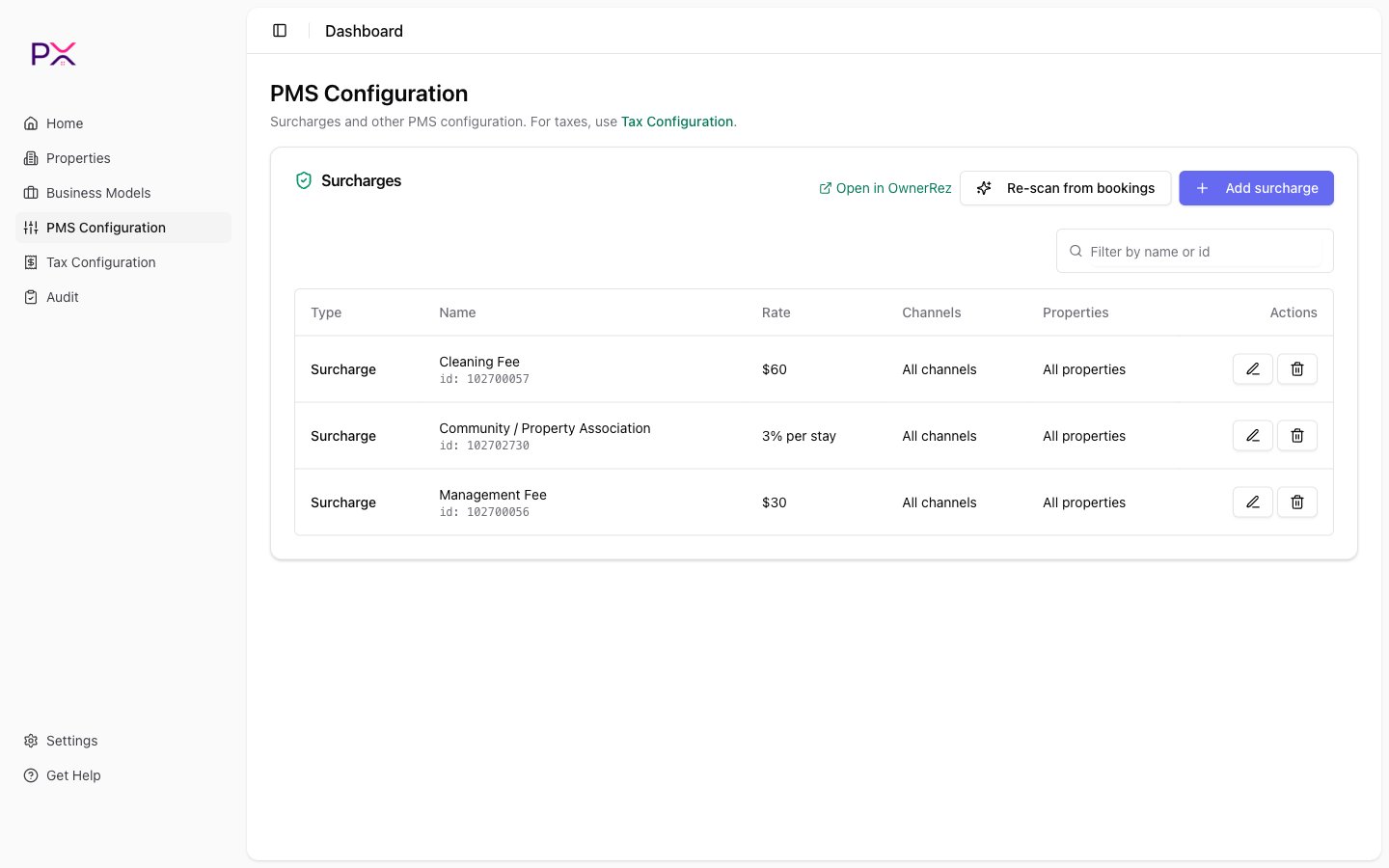
OwnerRez Catalog
How catalog entries are created
Three ways:- Inferred from booking history. Click Detect from bookings and PX scans your last 18 months of bookings, looking for patterns in line items. Any rule that recurs is added as
inferred. - Manually added. Click Add row to enter a tax, surcharge, or commission you know exists but PX did not pick up.
- Imported from OwnerRez during the initial sync if catalog data is found in any payload PX can read.
inferred status until you review it.
Statuses
Each catalog row has a status:
To use a row in audits, it needs to be
user-added or confirmed. Until you confirm at least one tax row, audits short-circuit with a CATALOG_EMPTY finding instead of running per-reservation checks.
Detection options
Click Detect from bookings to open the detection dialog:- Lookback days - how far back to scan. Default 60.
- Rebuild - if checked, PX wipes existing inferred rules before re-deriving. Use this when your catalog has gone stale.
Row anatomy
You can edit any field on a
user-added row. On inferred rows, editing a field auto-confirms the row.
Scoping to listings
A catalog row can be:- Account-wide - applies to every listing.
- Listing-scoped - applies only to a specific subset.
Workflows
After connecting OwnerRez for the first time
- Open PMS Configuration.
- Click Detect from bookings with default settings.
- Review the resulting list.
- Confirm rows that match your reality.
- Edit rows where the inferred rate is close but not exact.
- Add any tax or fee PX missed.
- Archive rows that are no longer used.
After a tax rate change
- Update the tax in OwnerRez.
- Open the catalog in PX.
- Edit the affected row, update the rate, and Save.
- From that point on, audit findings on bookings will be evaluated against the new rate.
When PX detects a new pattern
PX may surface newinferred rows after future runs of Detect from bookings. Review them and confirm or archive as appropriate. Confirmed rows stay confirmed; inferred rows are recreated each time you re-detect.
Audit interaction
The audit consults the catalog as its baseline:- Tax findings check the booking’s tax lines against the tax rows in the catalog scoped to that listing.
- Fee findings check fees against the fee rows.
- Commission findings check commission lines against the commission rows.
- A CATALOG_EMPTY finding is emitted if the catalog has no confirmed rows of the relevant kind, so the audit short-circuits instead of running misleading checks.
Where on this page does each item live in OwnerRez?
PX is opinionated about catalog structure to keep audits sane. If your OwnerRez setup uses unusual constructs (custom calculated fees, conditional surcharges), enter them as best you can and use the Notes field to document edge cases.