

MISSING_TAX findings.
The Airbnb Tax Remittance card sits at the top of the Tax Configuration page, subtitled Tell us how Airbnb handles taxes for your properties. It asks up to three questions, each revealed once you answer the one above it.
The setting is stored in PX only. PX does not push it back to your PMS or to Airbnb. It exists purely to inform PX’s audit logic.
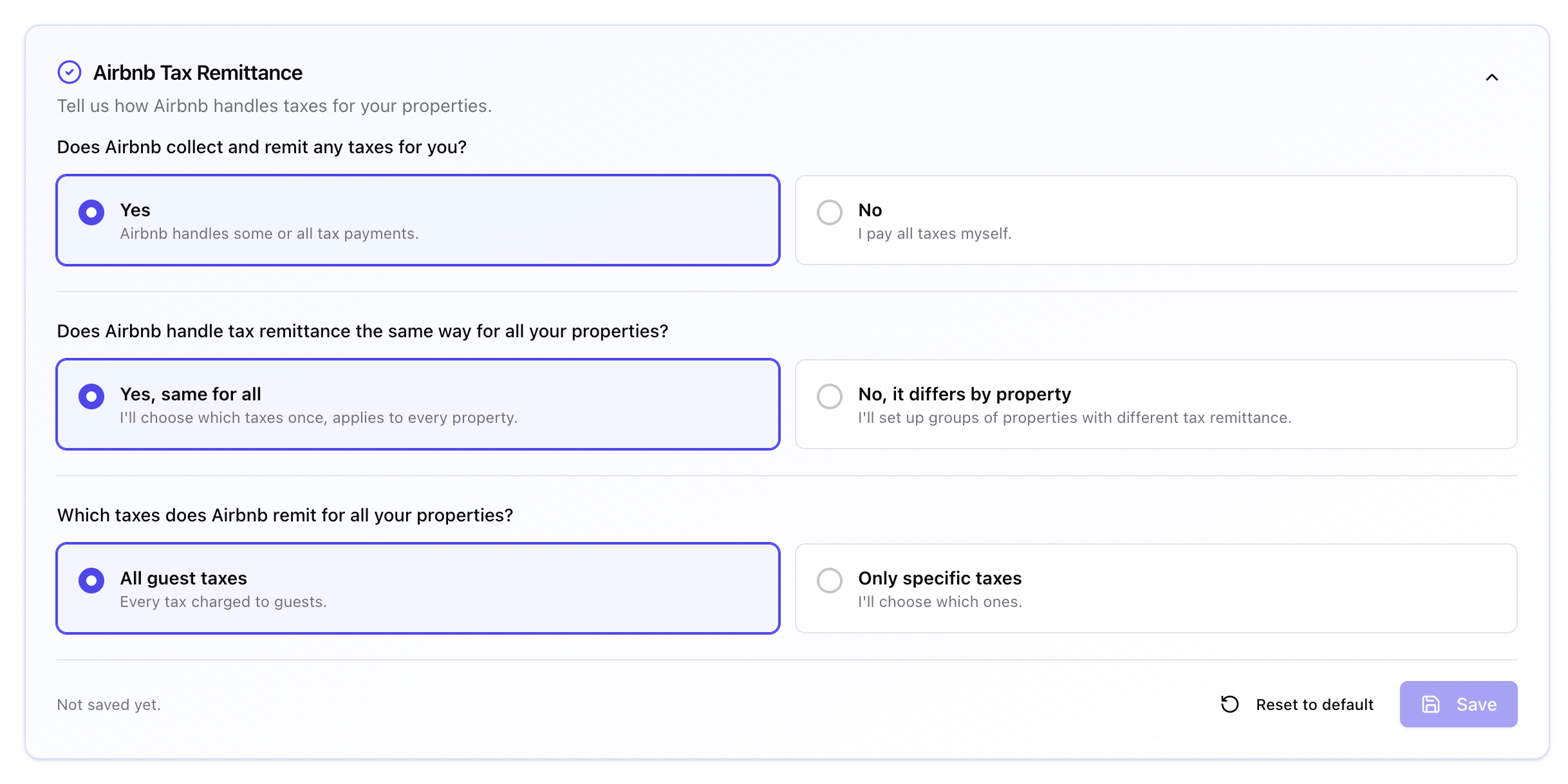
Airbnb Tax Remittance, configured as Yes / same for all / all guest taxes
Does Airbnb collect and remit any taxes for you?
- Yes - Airbnb handles some or all tax payments. Answering Yes reveals the next question.
- No - I pay all taxes myself. Audits then expect every tax on every Airbnb booking, and there is nothing else to configure.
Does Airbnb handle tax remittance the same way for all your properties?
- Yes, same for all - I’ll choose which taxes once, applies to every property.
- No, it differs by property - I’ll set up groups of properties with different tax remittance.
Which taxes does Airbnb remit?
This question only appears on the same for all path:- All guest taxes - Every tax charged to guests. Audits skip every tax check on Airbnb bookings.
- Only specific taxes - I’ll choose which ones. Opens a checklist of every tax PX has on file, so you can tick the ones Airbnb remits.
Property groups
On the differs by property path, the card switches to Set up your property groups. Click Add a property group (then Add another property group) to build as many as you need. Each group holds a set of properties and its own tax choice:
A property belongs to at most one group. The property picker greys out anything already assigned and tells you how many, for example 3 already in other groups, so you cannot double-assign by accident.
Custom taxes
Airbnb sometimes remits a tax that does not exist as a separate line in your PMS catalog. Inside the Only specific taxes checklist, Add a custom tax records those with a name and a rate. Custom taxes appear in their own Custom taxes section of the checklist, where you can edit or delete them. They are stored only on the remittance record and do not appear in your account-level taxes. They exist purely so PX knows to expect them on Airbnb bookings and does not flag anUNEXPECTED_TAX.
Saving
The footer shows Not saved yet until the first save, then Last saved with the date and time.- Save - stays disabled until the configuration is valid.
- Discard - appears only while you have unsaved changes, and returns the card to the last saved state.
- Reset to default - clears the configuration back to unconfigured.
- No properties selected yet - add at least one property to a group before saving.
<n>empty groups will be removed on save.
How an audit applies remittance
For each Airbnb booking:- Is there a remittance record for this account? If not, audit normally.
- Does this booking’s listing fall under the remittance scope (all properties, or a group it belongs to)?
- For each tax PX would normally check, is that tax in the remitted list? If yes, skip the check on this booking.
- Treat each custom tax as expected on the booking, so PX no longer flags an
UNEXPECTED_TAXfor it.
Common setups
Single jurisdiction, full remittance. Yes / Yes, same for all / All guest taxes. The simplest setup, and the one most single-market operators want. Multi-state operator. Yes / No, it differs by property / one group per state, each with its own tax selection. Hybrid. Yes / Yes, same for all / Only specific taxes. Airbnb remits state lodging tax everywhere, but city-level taxes remain your responsibility.When to update it
Update the card whenever:- A new state or county is added where Airbnb remits.
- Airbnb changes its remittance behavior. This happens occasionally, so watch for sudden spikes in
MISSING_TAXfindings on Airbnb bookings. - You add a listing in a new jurisdiction.
- A tax that used to be remitted becomes your responsibility, or the reverse.
Validation rules
- Each property can appear in at most one group.
- Custom taxes need both a name and a rate. Empty values are rejected.
- Empty groups are dropped when you save.
- There is one Airbnb remittance record per account, so saving always replaces the previous configuration.