

Before you start
You will need an admin user on your Guesty account. In PX, open Settings. In the Connect Your PMS card, pick Guesty.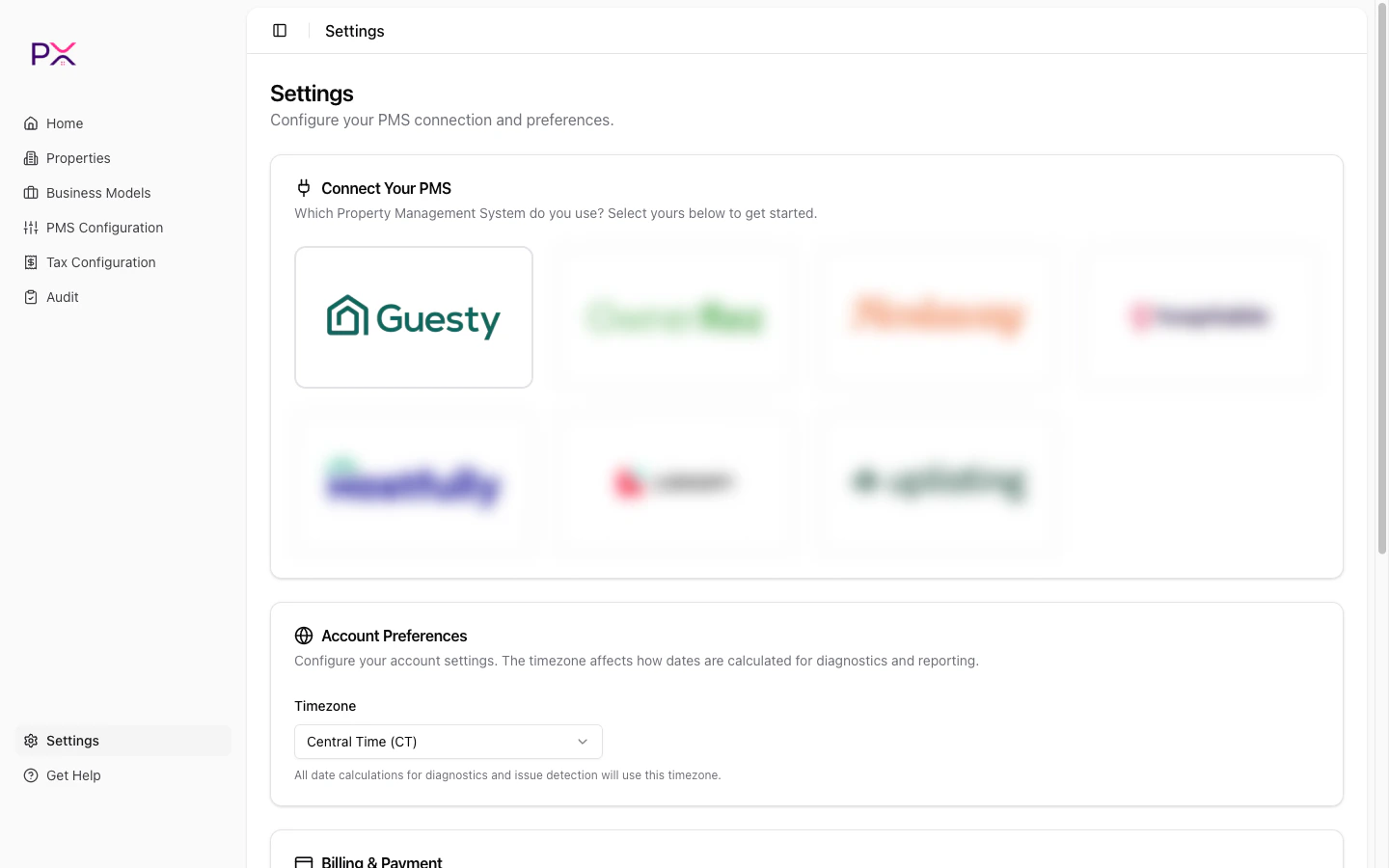
Selecting Guesty on the Connect Your PMS card
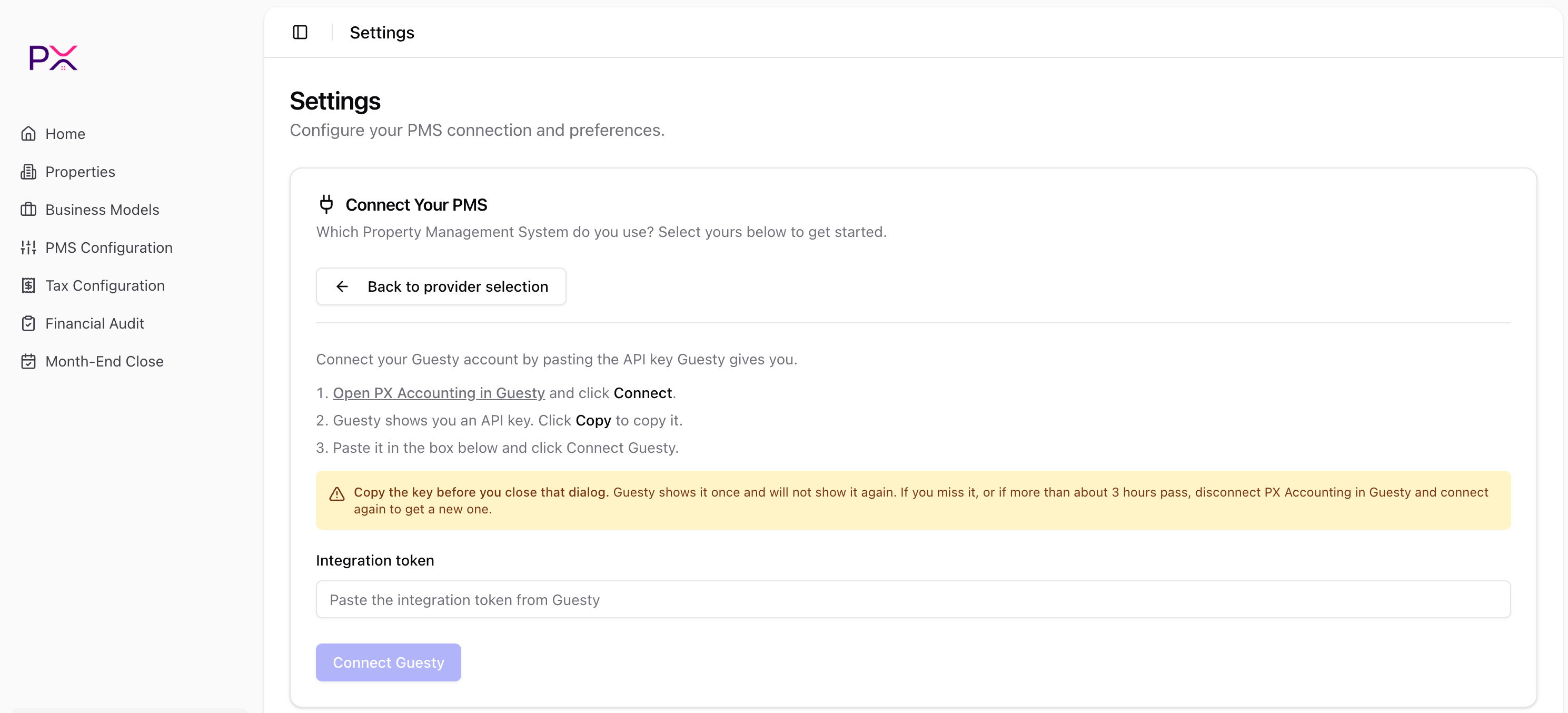
The Guesty integration token form on the Connect Your PMS card
Connect Guesty
- Click Open PX Accounting in Guesty - this opens PX’s partner page in Guesty. Click Connect there.
- Guesty shows you an API key. Click Copy.
- Back in PX, paste it into Integration token and click Connect Guesty.
Confirming the connection
Once connected, the Guesty API Credentials card shows Your Guesty account is connected and syncing properties, along with the date the connection was established. The Integration Status card below it reports a single health row:- Webhooks - green check when it reads Registered and active. PX has registered its webhook endpoint with your Guesty account, so listing and reservation changes reach PX as they happen.
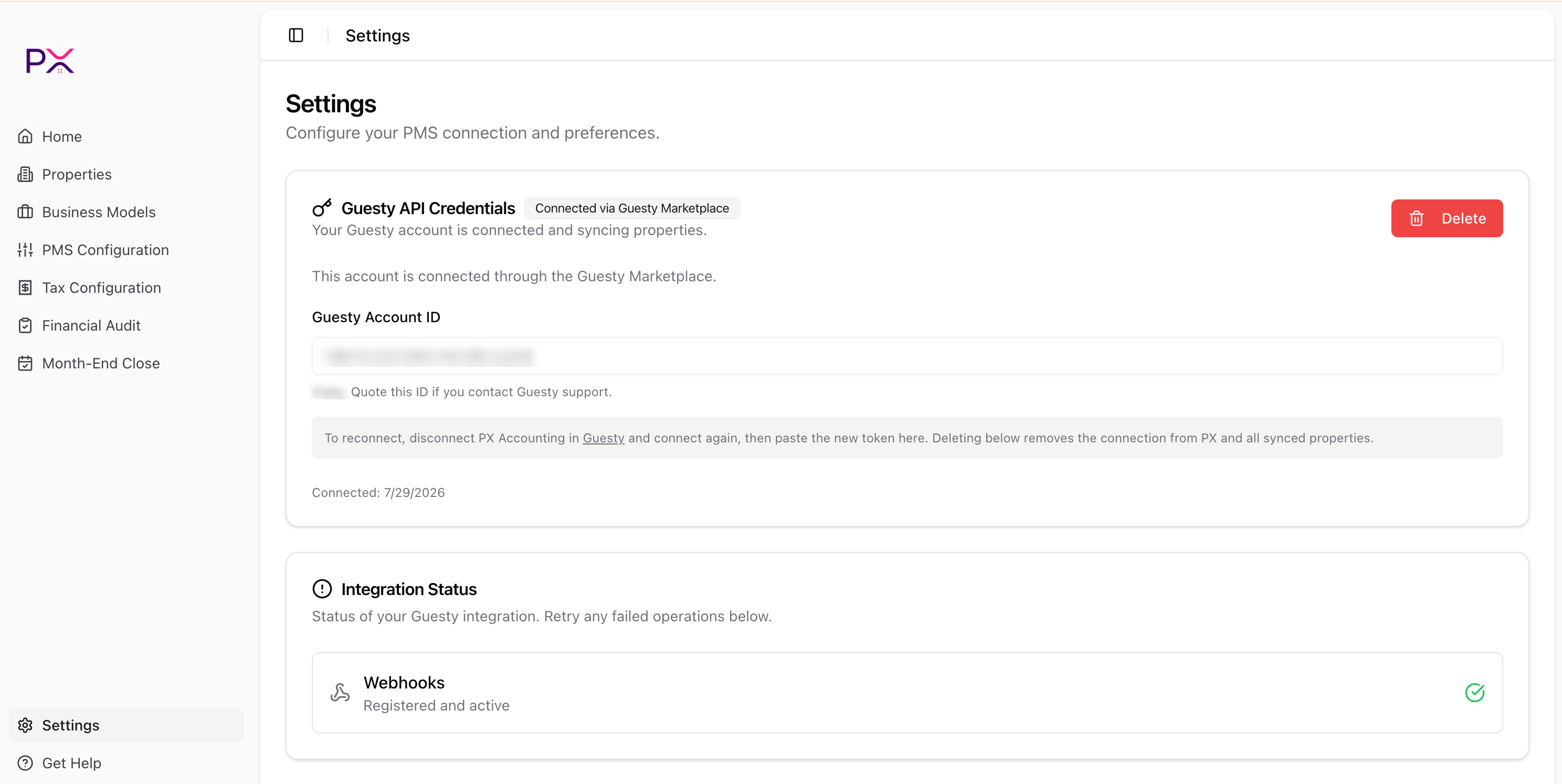
Settings page with the Guesty connection and Integration Status
What PX reads from Guesty
PX has read-only access. Nothing is written back. Properties - id, name, address, bedrooms / bathrooms / accommodates, currency, default cleaning fee, active flag, thumbnail. Synced on connect, on Guestylisting.* webhooks, and on Properties -> Sync from Guesty.
Reservations - id, listing, status, check-in / check-out, booking date, guest name and count, channel, confirmation code, currency, totals (amount, paid, balance, refunded), cancellation snapshot.
Synced on demand (Property detail), on reservation.* webhooks, and during audits.
Per-charge financial data - line amount and type (accommodation / fee / expense / tax), taxable flag, per-night accommodation breakdown, per-reservation totals.
Synced with the parent reservation.
Tax catalog - account-level and per-listing taxes: rates, applicability, metadata.
Synced on Tax Configuration -> Refresh from PMS.
Webhook events - listing.new / updated / removed, reservation.new / updated, and payments.* (acknowledged - financial state is re-read from the reservation, not the webhook payload, so a missed event never causes drift).
Reconnecting
Disconnect PX Accounting on its partner page in Guesty, connect again to get a fresh key, then paste it into PX. The Integration token field only appears when no connection exists, so if you already have a new key in hand, click Delete in PX first to get the form back.Removing the connection
Open Settings, go to the Guesty API Credentials card, and click Delete. Confirm in the dialog. This:- Removes the stored credentials.
- Unregisters the webhook.
- Removes all synced properties.
Troubleshooting
Webhooks row reports a failure. PX could not register its webhook. Most often this is a Guesty plan limitation - some plans cap the number of webhooks. Remove an unused webhook in Guesty and retry from the Integration Status card. Connect Guesty fails after pasting the token. The key has already been used or has expired - Guesty keys are single-use and last about 3 hours. Disconnect PX Accounting in Guesty, connect again for a fresh key, and paste that one. Sync runs but no properties appear. Check that the listings are marked active in Guesty. Also confirm the Guesty user that authorized the connection has visibility into the listings - sub-accounts may be restricted. The Guesty Account ID field is empty. Expected on connections made before PX started recording the account ID. It appears after the next daily sync.What’s next
How sync works
What gets synced when - and what stays cached.
Manage properties
Browse your synced portfolio and toggle auto-fix.