

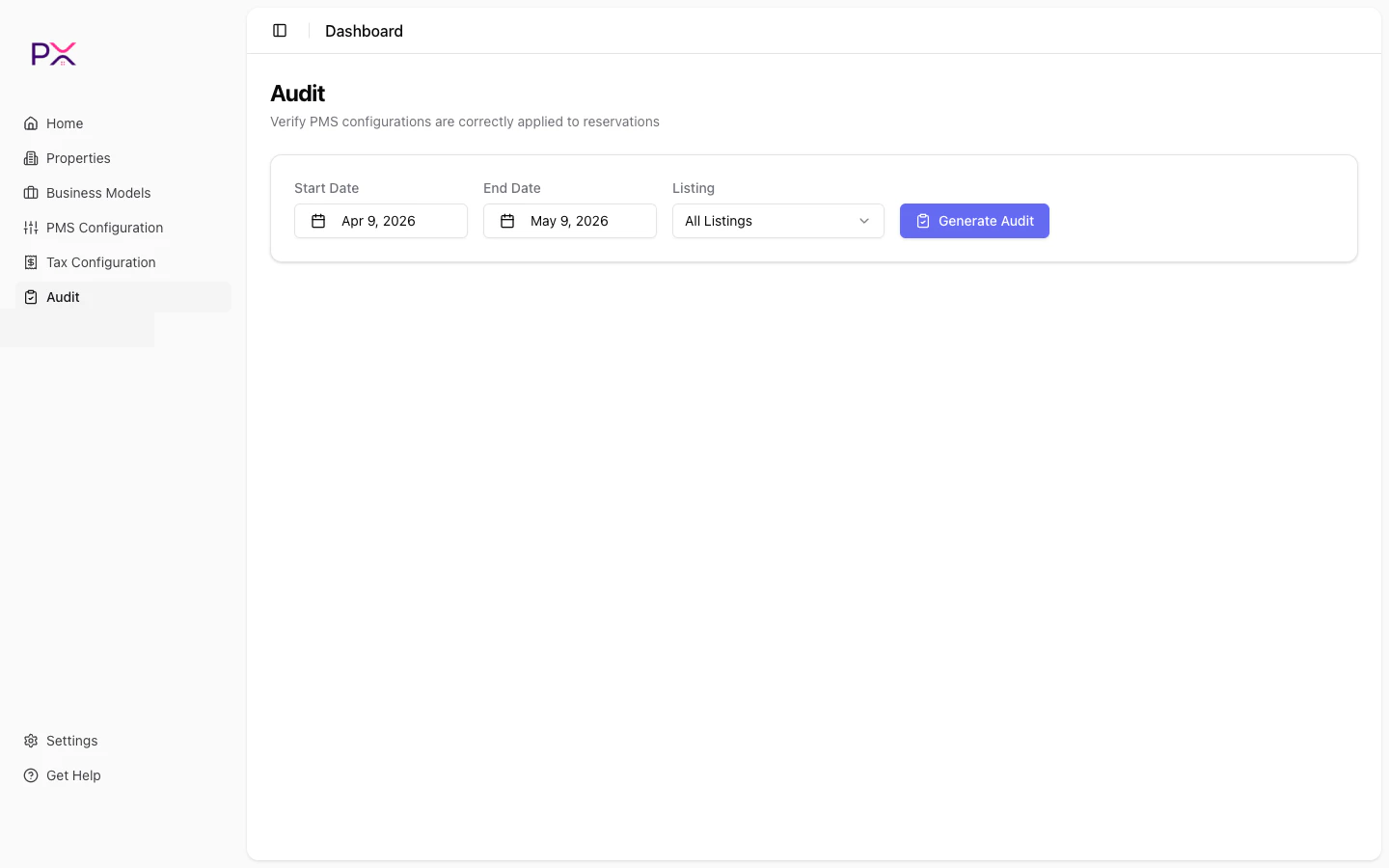
Financial Audit page controls
Set the parameters
Three controls at the top:- Start Date - calendar picker.
- End Date - calendar picker.
- Listing - dropdown of
All Listingsplus every property in your account.
- “Date range exceeds 62 days” - shorten the window.
- “Start date must be before end date.” - flip the dates.
Watch progress
While the audit runs, a loading card appears with:- A spinning icon.
- The elapsed time since the run started.
- Status text: Running Audit…
Read the results
Three components show up when the audit completes.Summary cards
Results table
Columns:
Above the table, three controls:
- Status filter - dropdown of statuses present in the results.
- All / Issues / Clean - quick filter to all rows, only rows with findings, or only clean rows.
- Expand all / Collapse all - bulk expansion of every row.
Findings breakdown
A grid of finding types with count badges. Click any type to filter the results table to bookings with that finding.Drill into a reservation
Click the expand arrow on any row to see:- Line items - the rent, fees, taxes, and expenses on the booking with amounts.
- Findings - one row per finding, showing:
- Severity badge (error / warning / info).
- Type label.
- Description.
- Expected amount.
- Actual amount.
- Difference (signed).
- Config source (which configuration drove the expectation).
- Reasoning (the formula PX used).
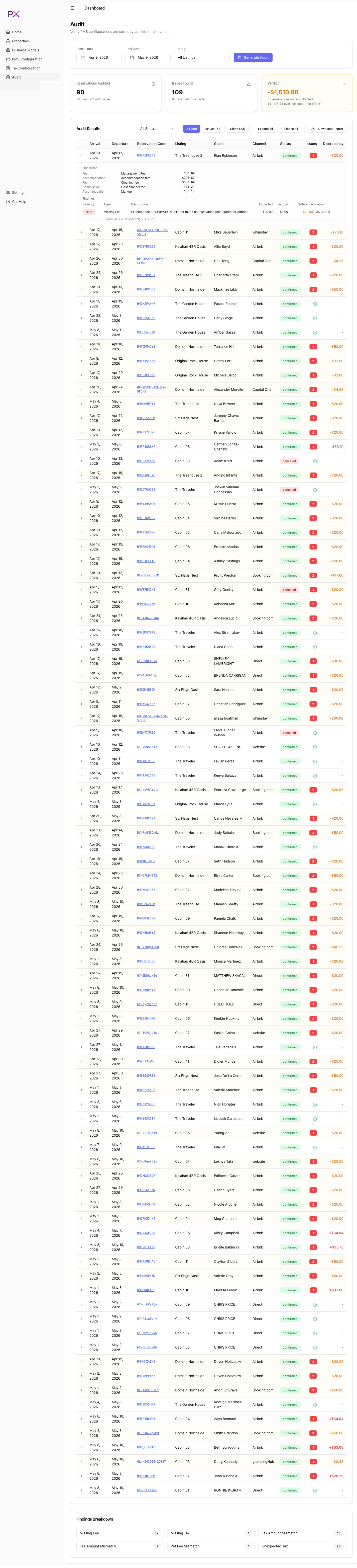
Expanded reservation with findings
Export the audit as a PDF
Click Download Report above the results table to export the audit as a PDF. See Export PDF for what the PDF contains and how to share it.Re-running
Audits do not auto-refresh. To re-run with the same parameters:- Set the date range and listing again.
- Click Generate Audit.
Common patterns
Period close audit
For closing a period, prefer Month-End Close - it covers this audit and the Accounting Audit over the same month, and exports one PDF. Use the range-based run below when you want the Financial Audit on its own:- Start: 1st of last month.
- End: last day of last month.
- Listing: All Listings.
Single-property investigation
When a specific property has unresolved findings on its detail page:- Listing: that property.
- Range: a 7-day or 14-day window around the affected reservation.
Pre-statement reconciliation
Before sending owner statements:- Range: the statement period.
- Listing: All Listings (or per-property if you statement individually).