> ## Documentation Index
> Fetch the complete documentation index at: https://docs.pxaccounting.com/llms.txt
> Use this file to discover all available pages before exploring further.
# Property owners
> How owner records sync from your PMS and where they show up in PX.
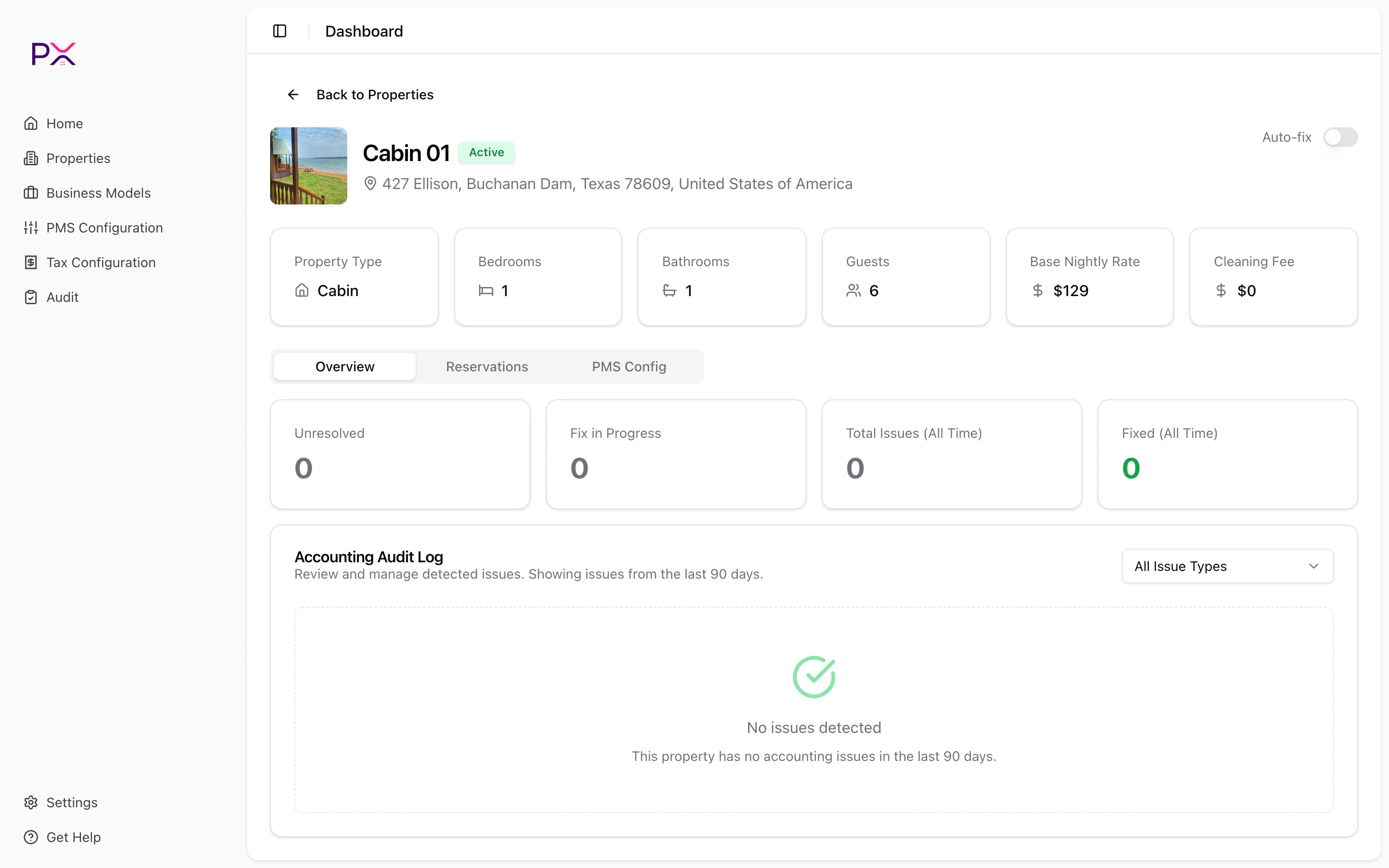
PX shows owner information **inline on each property**. There is no separate Owners page and no manual sync button - owners come from your PMS automatically.
 ## Where you see owner info
* **Property detail page** - the Owner card sits below the property info grid, showing the owner's name, email, and phone.
* **Reservations** - business model assignments and statement reconciliation use the owner mapping.
## How owner sync works
PX pulls owner records from your PMS during the regular property sync, then maps them to properties through a join table. You do not have to do anything to trigger this - syncing properties syncs the related owners too.
The mapping is stored in PX, so even if a property's PMS record loses its owner reference temporarily, PX preserves the last-seen mapping until the next successful sync.
## What if my property has no owner?
Some properties (your own listings, manually added entries) have no owner mapping. PX simply hides the Owner card on those properties - no error, no warning.
If a property *should* have an owner but does not show one:
1. Confirm the owner is associated with the listing in your PMS.
2. Click **Sync from \[PMS]** on the Properties page.
3. Open the property and refresh. The Owner card should appear.
## Multiple owners
If your PMS records multiple owners on a single property, PX displays the primary owner as identified by the PMS.
## Privacy
Owner contact details (email, phone) are visible to anyone with access to your PX account. Use account-level access controls and Single Sign-On to restrict who can see them.
## Where you see owner info
* **Property detail page** - the Owner card sits below the property info grid, showing the owner's name, email, and phone.
* **Reservations** - business model assignments and statement reconciliation use the owner mapping.
## How owner sync works
PX pulls owner records from your PMS during the regular property sync, then maps them to properties through a join table. You do not have to do anything to trigger this - syncing properties syncs the related owners too.
The mapping is stored in PX, so even if a property's PMS record loses its owner reference temporarily, PX preserves the last-seen mapping until the next successful sync.
## What if my property has no owner?
Some properties (your own listings, manually added entries) have no owner mapping. PX simply hides the Owner card on those properties - no error, no warning.
If a property *should* have an owner but does not show one:
1. Confirm the owner is associated with the listing in your PMS.
2. Click **Sync from \[PMS]** on the Properties page.
3. Open the property and refresh. The Owner card should appear.
## Multiple owners
If your PMS records multiple owners on a single property, PX displays the primary owner as identified by the PMS.
## Privacy
Owner contact details (email, phone) are visible to anyone with access to your PX account. Use account-level access controls and Single Sign-On to restrict who can see them.