> ## Documentation Index
> Fetch the complete documentation index at: https://docs.pxaccounting.com/llms.txt
> Use this file to discover all available pages before exploring further.
# Connect Hostfully
> Get your Hostfully API key and connect it to PX Accounting.
PX Accounting connects to Hostfully with an agency-level API key. The key sends as the `X-HOSTFULLY-APIKEY` HTTP header.
 ## Before you start
You will need:
* A Hostfully plan that includes public API access. Not all plans do - if your agency settings have no API key field, contact [api@hostfully.com](mailto:api@hostfully.com) to request access.
* Agency-admin permissions in Hostfully.
## Step 1 - locate your API key
1. Sign in to Hostfully: [platform.hostfully.com/agency.jsp](https://platform.hostfully.com/agency.jsp).
2. Open the **Agency Settings** page.
3. Scroll to the **API Key** field and copy the value.
If the field is empty or missing:
* Confirm your Hostfully plan includes API access.
* Email [api@hostfully.com](mailto:api@hostfully.com) to request the key.
For background, see Hostfully's articles: [Exporting data through the API](https://help.hostfully.com/en/articles/3453789-exporting-data-through-the-hostfully-api) and the developer reference at [dev.hostfully.com](https://dev.hostfully.com/reference/getting-started).
## Step 2 - paste the key into PX
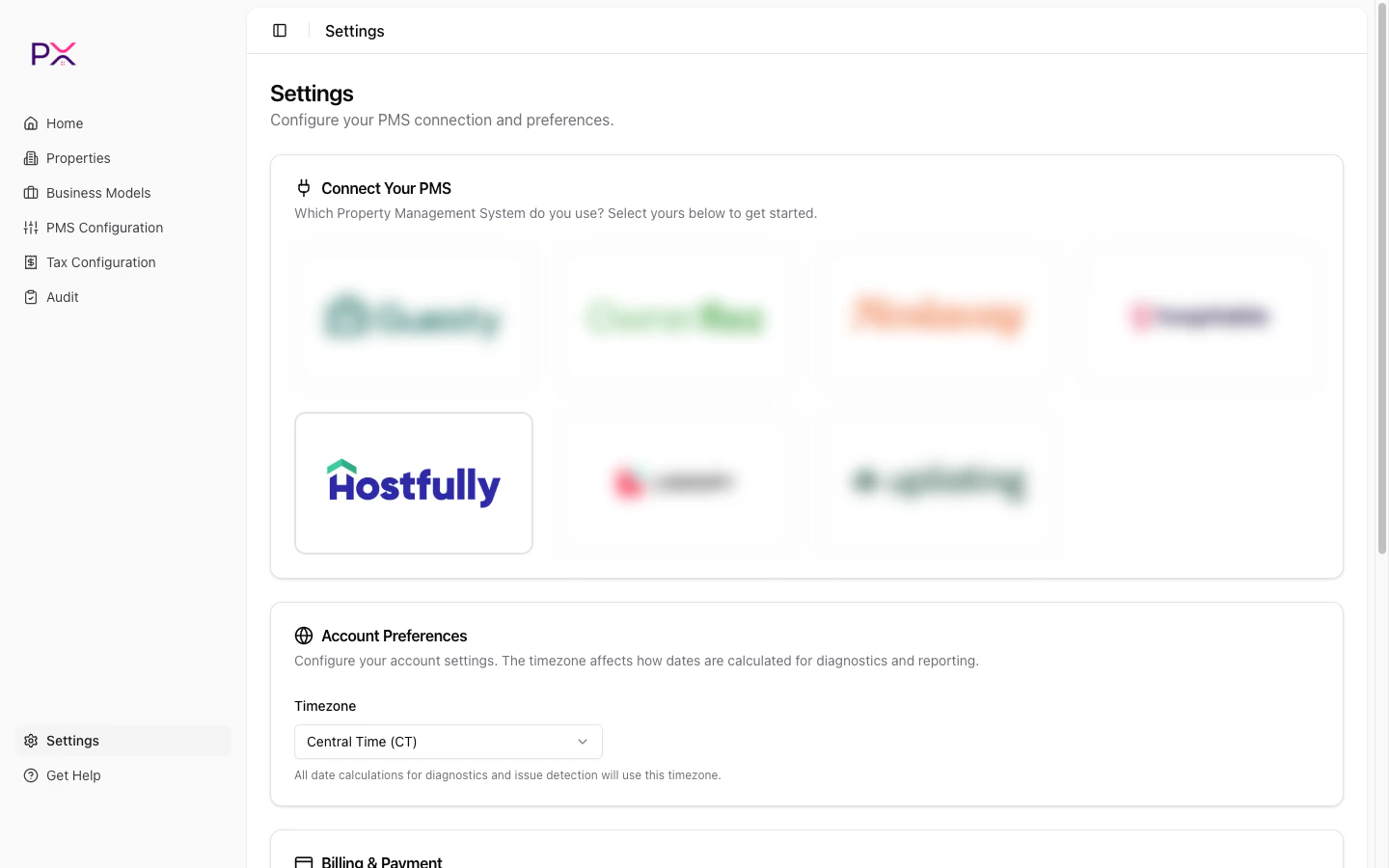
1. In PX, open **Settings**.
2. In the **PMS Connection** card, pick **Hostfully**.
3. Paste the **API Key**.
4. Click **Save credentials**.
PX validates the key and the **Integration Status** panel shows three lights: **Admin**, **OAuth**, and **Webhook**.
## What PX reads from Hostfully
PX has **read-only** access. Nothing is written back.
**Properties** - uid, name, address (with lat / lng), bedrooms / bathrooms / accommodates, property type, currency, active flag, thumbnail.
*Synced on connect, on `property` webhooks, and on Properties -> Sync from Hostfully.*
**Owners** - id, first / last name, email, phone, properties managed.
*Synced with the parent property.*
**Reservations** - uid, property, status, check-in / check-out, booking date, guest details, guest count breakdown, channel and confirmation code, currency, totals, cancellation snapshot.
*Synced on demand, on `reservation` webhooks, and during audits.*
**Per-charge financial data** - line amount and type (accommodation / cleaning / fee / tax / expense), taxable flag, per-night accommodation breakdown, per-reservation totals (subtotal, taxes, channel commission, owner payout), payments and refunds.
*Synced with the parent reservation; payments / refunds also via `payment` webhooks.*
**Tax catalog** - agency-level rates, names, applicability per property.
*Synced on Tax Configuration -> Refresh from PMS.*
**Webhook events** - lead / quote created, reservation created / updated / canceled, property created / updated, payment created / refunded.
## Removing the connection
Open **Settings**, scroll to the **PMS Connection** card, and click **Delete**. The key is wiped from PX and webhooks are unregistered.
## Troubleshooting
**Admin status is red.**
The API key is wrong or has been rotated in Hostfully. Get the latest value from agency settings and update PX.
**API key field is missing in Hostfully.**
Plan limitation. Contact [api@hostfully.com](mailto:api@hostfully.com) to enable API access on your account.
**Sandbox vs production confusion.**
Hostfully requires development to start in sandbox; production keys are issued separately. Make sure you are using the production key, not a sandbox one.
## Before you start
You will need:
* A Hostfully plan that includes public API access. Not all plans do - if your agency settings have no API key field, contact [api@hostfully.com](mailto:api@hostfully.com) to request access.
* Agency-admin permissions in Hostfully.
## Step 1 - locate your API key
1. Sign in to Hostfully: [platform.hostfully.com/agency.jsp](https://platform.hostfully.com/agency.jsp).
2. Open the **Agency Settings** page.
3. Scroll to the **API Key** field and copy the value.
If the field is empty or missing:
* Confirm your Hostfully plan includes API access.
* Email [api@hostfully.com](mailto:api@hostfully.com) to request the key.
For background, see Hostfully's articles: [Exporting data through the API](https://help.hostfully.com/en/articles/3453789-exporting-data-through-the-hostfully-api) and the developer reference at [dev.hostfully.com](https://dev.hostfully.com/reference/getting-started).
## Step 2 - paste the key into PX
1. In PX, open **Settings**.
2. In the **PMS Connection** card, pick **Hostfully**.
3. Paste the **API Key**.
4. Click **Save credentials**.
PX validates the key and the **Integration Status** panel shows three lights: **Admin**, **OAuth**, and **Webhook**.
## What PX reads from Hostfully
PX has **read-only** access. Nothing is written back.
**Properties** - uid, name, address (with lat / lng), bedrooms / bathrooms / accommodates, property type, currency, active flag, thumbnail.
*Synced on connect, on `property` webhooks, and on Properties -> Sync from Hostfully.*
**Owners** - id, first / last name, email, phone, properties managed.
*Synced with the parent property.*
**Reservations** - uid, property, status, check-in / check-out, booking date, guest details, guest count breakdown, channel and confirmation code, currency, totals, cancellation snapshot.
*Synced on demand, on `reservation` webhooks, and during audits.*
**Per-charge financial data** - line amount and type (accommodation / cleaning / fee / tax / expense), taxable flag, per-night accommodation breakdown, per-reservation totals (subtotal, taxes, channel commission, owner payout), payments and refunds.
*Synced with the parent reservation; payments / refunds also via `payment` webhooks.*
**Tax catalog** - agency-level rates, names, applicability per property.
*Synced on Tax Configuration -> Refresh from PMS.*
**Webhook events** - lead / quote created, reservation created / updated / canceled, property created / updated, payment created / refunded.
## Removing the connection
Open **Settings**, scroll to the **PMS Connection** card, and click **Delete**. The key is wiped from PX and webhooks are unregistered.
## Troubleshooting
**Admin status is red.**
The API key is wrong or has been rotated in Hostfully. Get the latest value from agency settings and update PX.
**API key field is missing in Hostfully.**
Plan limitation. Contact [api@hostfully.com](mailto:api@hostfully.com) to enable API access on your account.
**Sandbox vs production confusion.**
Hostfully requires development to start in sandbox; production keys are issued separately. Make sure you are using the production key, not a sandbox one.